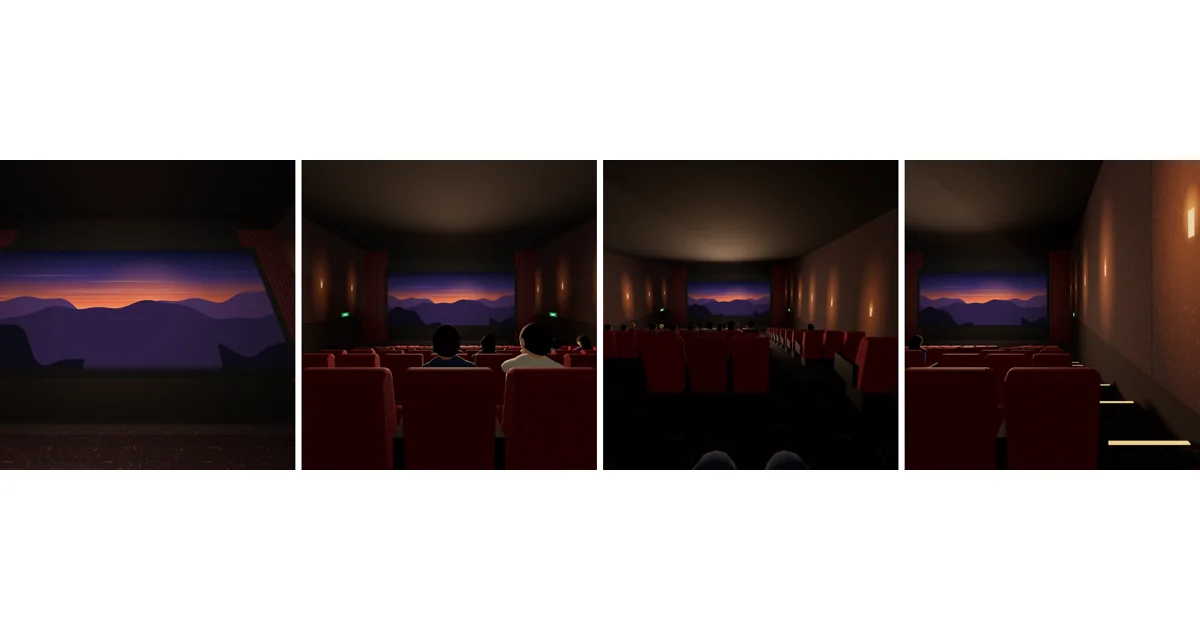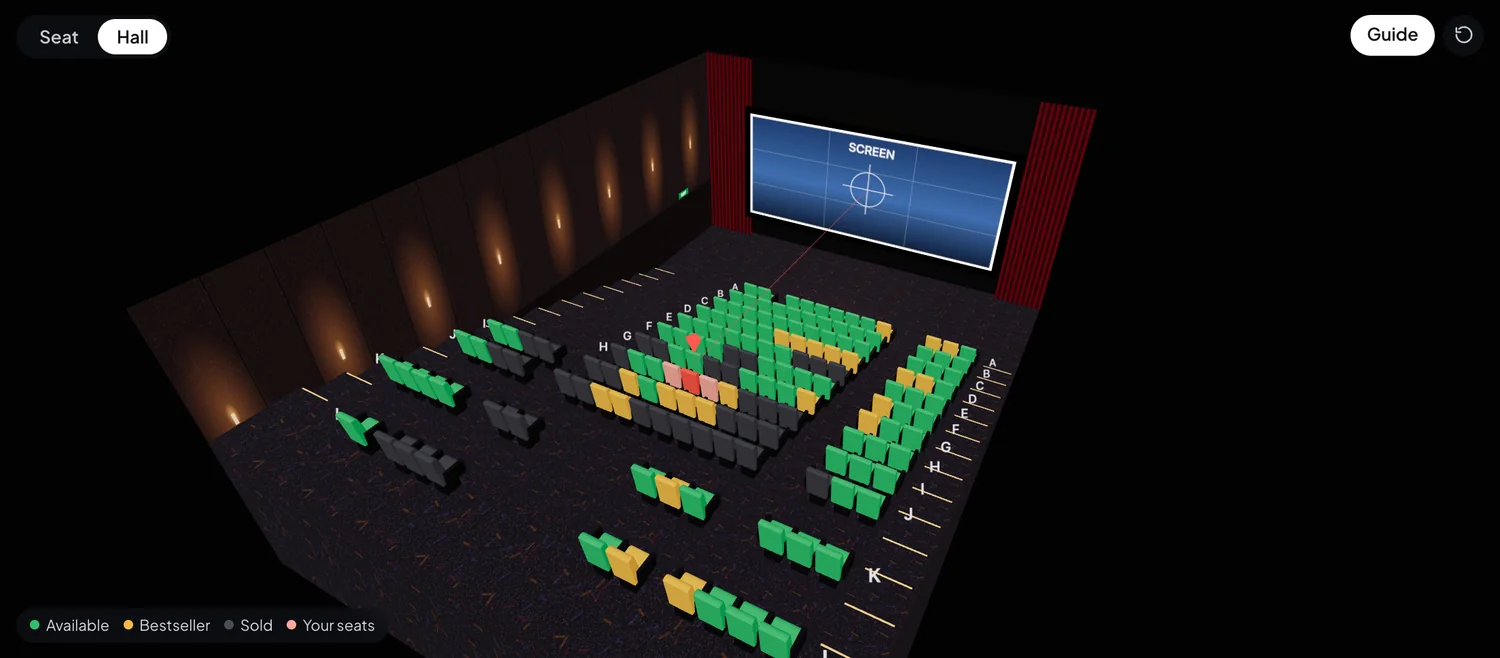
A 3D seat view puts you in the seat before you buy it. Instead of a flat grid of squares, you see the hall in 3D and the screen as it looks from that exact seat: how much of your view it fills, whether you’re facing it straight on, and how far you tip your head back.
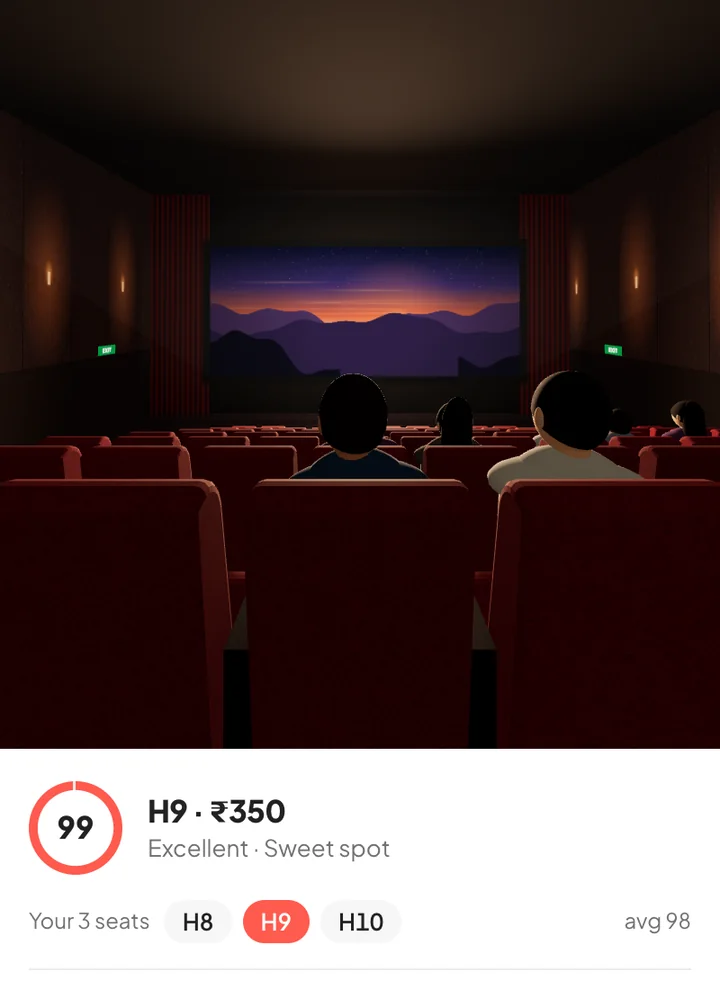
Why a seat map isn’t enough
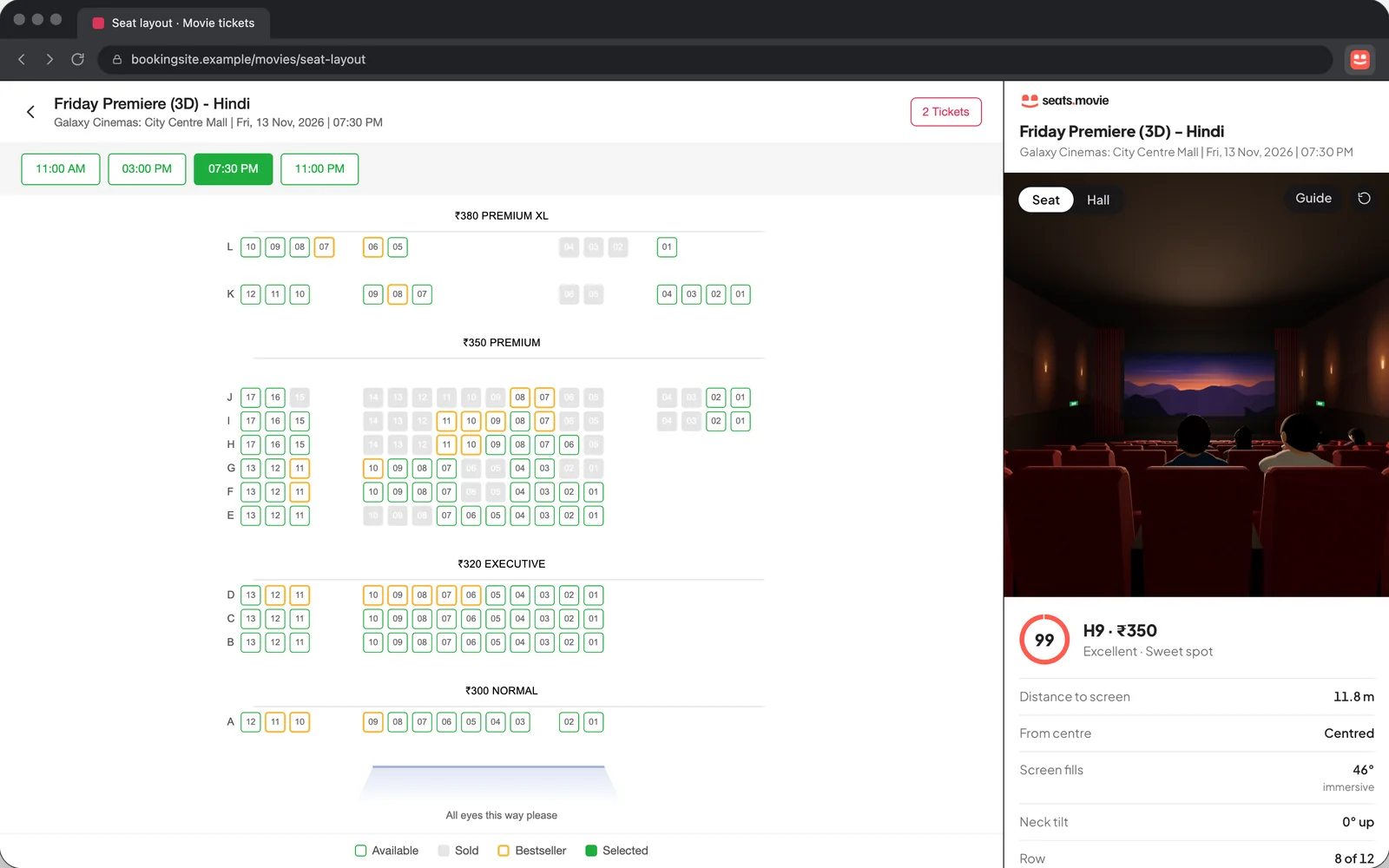
A booking site’s seat layout shows rows and columns, which seats are sold and what they cost. It doesn’t show the things that decide whether you enjoy the film:
- Distance. Row F in a small screen and row F in a large one are very different seats.
- Angle. A seat three places off the centre can be fine in a wide hall and awkward in a narrow one.
- Height. In the front rows you look up at the screen for the whole film.
A 3D seat view turns those into something you can see, so two seats that look the same on the grid stop looking the same.
What to check in a 3D seat view
| Check | Good | Avoid |
|---|---|---|
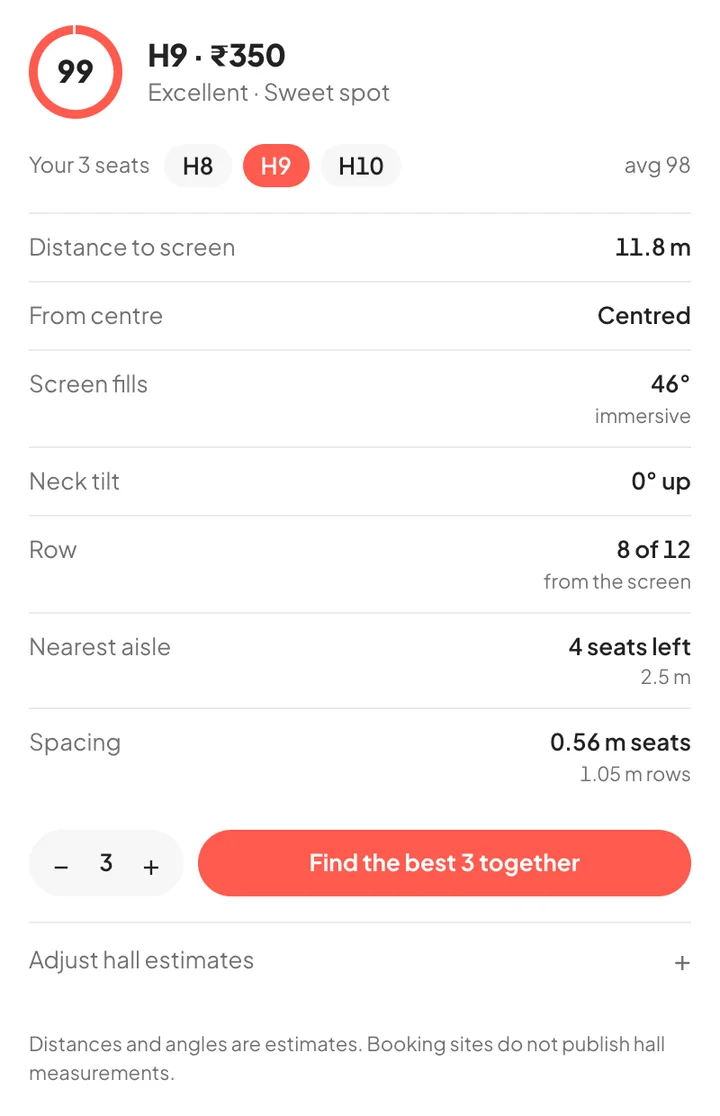
| How much of your view the screen fills | About 36–55° | Over 60°: you turn your head to follow the action |
| How far off the centre line you sit | Under 13° | Far side seats: the picture looks skewed |
| How much you look up | Under 6° | The front rows: a sore neck by the interval |
See how much these change between seats in the view from the front, middle, back and side of one hall.
seats.movie folds these into one seat score from 0 to 100, so you don’t have to weigh them yourself.
How to get a 3D seat view
On seats.movie (any device)
- Pick your city and movie. We check every show and list the best seats still free.
- Open a show and tap a seat, then switch to 3D to sit in it.
- Happy with it? Book those seats on BookMyShow.
On BookMyShow and District (Chrome extension)
- Install the free seats.movie extension in Chrome, Edge, Brave or Arc.
- Open a movie’s seat-selection page on BookMyShow or District and click the seats.movie icon.
- The hall opens in 3D beside the seat map. Click seats to compare, or press “Find the best seat”.
What a 3D seat view can’t tell you
Halls differ: some screens are bigger than usual, some floors are steeper. The model uses typical proportions, so treat distances as estimates and use the view to compare seats in the same hall. And seats sell fast: confirm on the booking page before you pay.