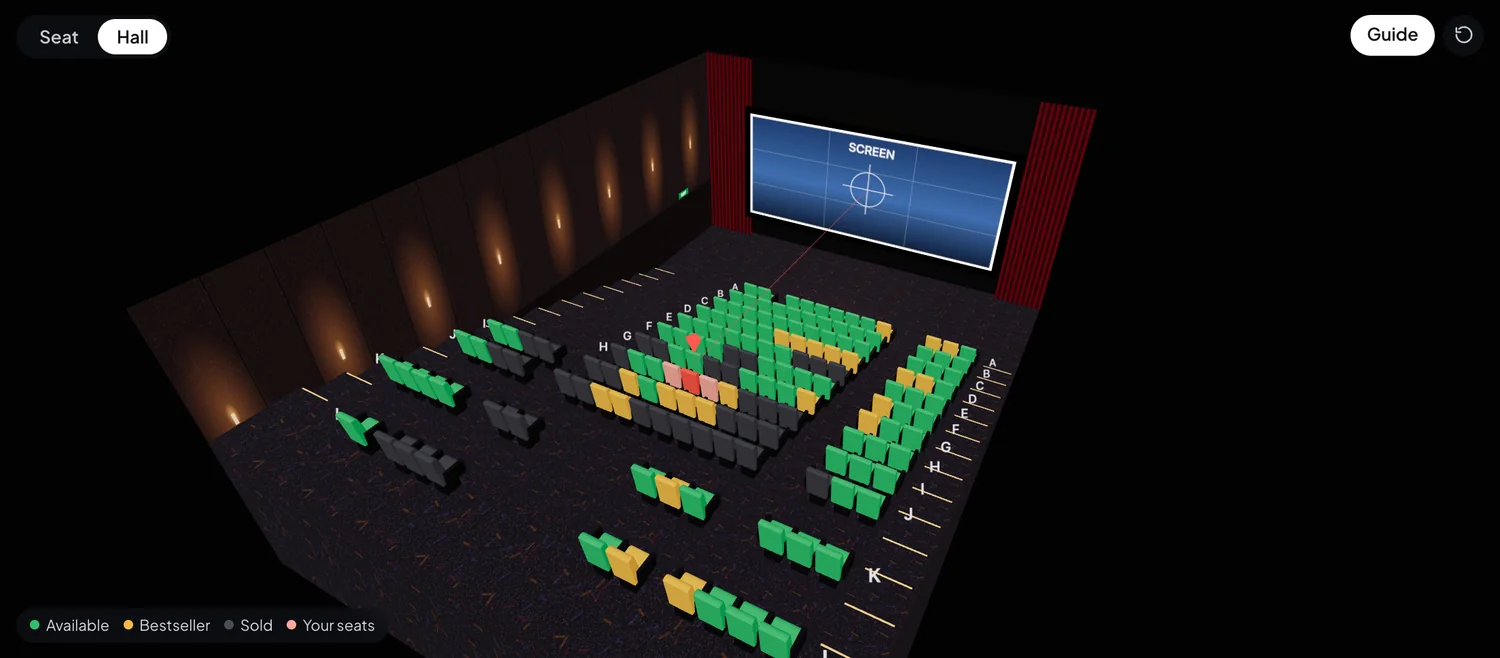
The whole hall, at a glance
Sold seats, bestsellers and your picks on a 3D model of the exact screen. Turn it around, zoom in, then sit down.
AvailableBestsellerYour seats


Chrome extension · free
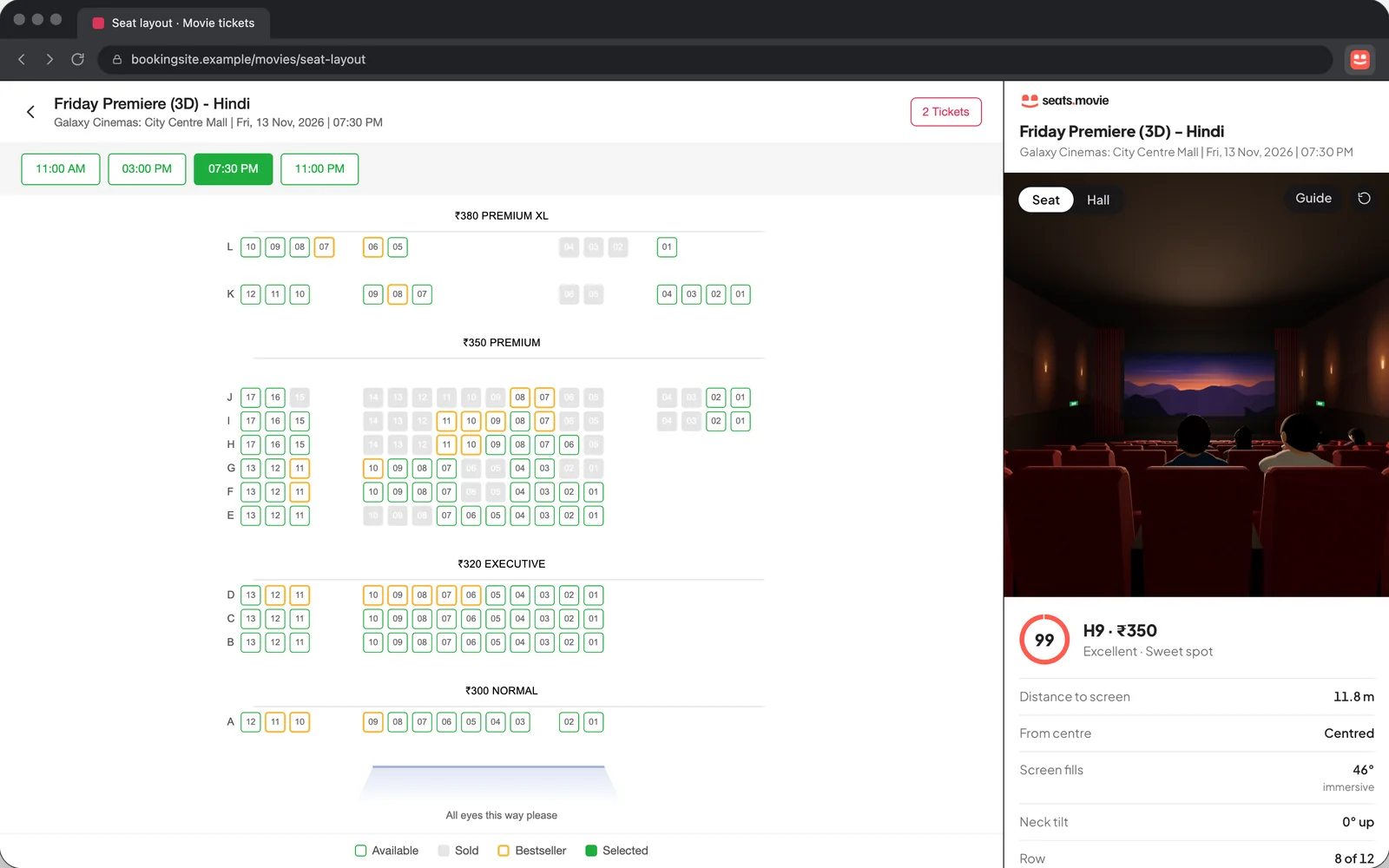
Open any seat layout on BookMyShow or District. The real hall opens in 3D beside it, with the best seats still free.
Chrome, Edge, Brave and Arc on a computer · BookMyShow and District
What it does
Sold seats, bestsellers and your picks on a 3D model of the exact screen. Turn it around, zoom in, then sit down.
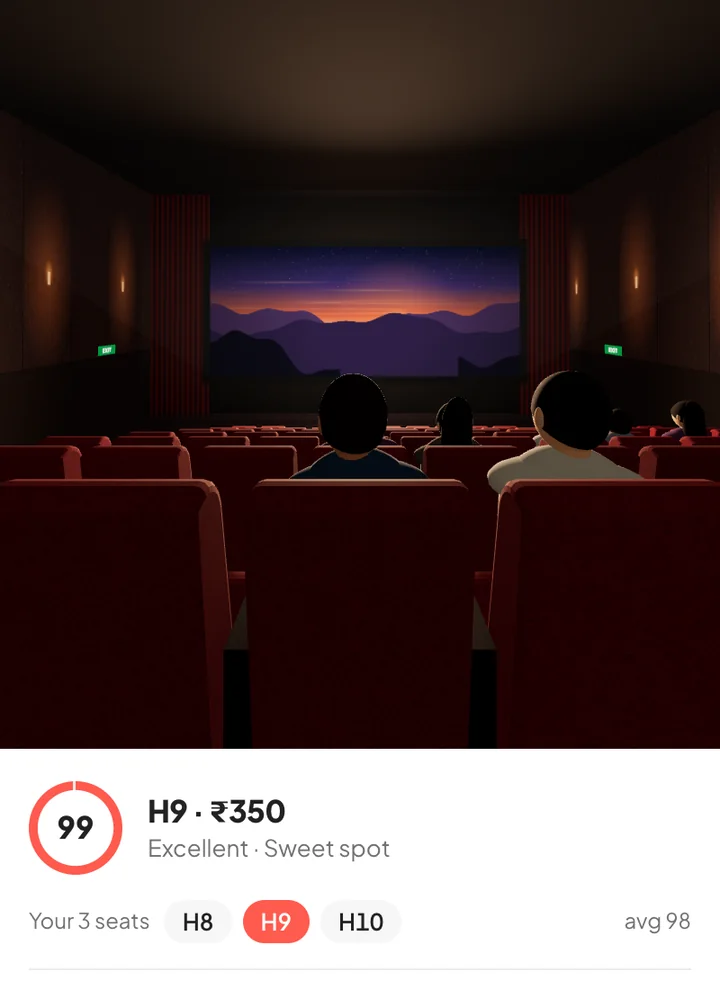
Click any seat and look at the screen from it: how big it is, how much you turn your head, who sits in front.
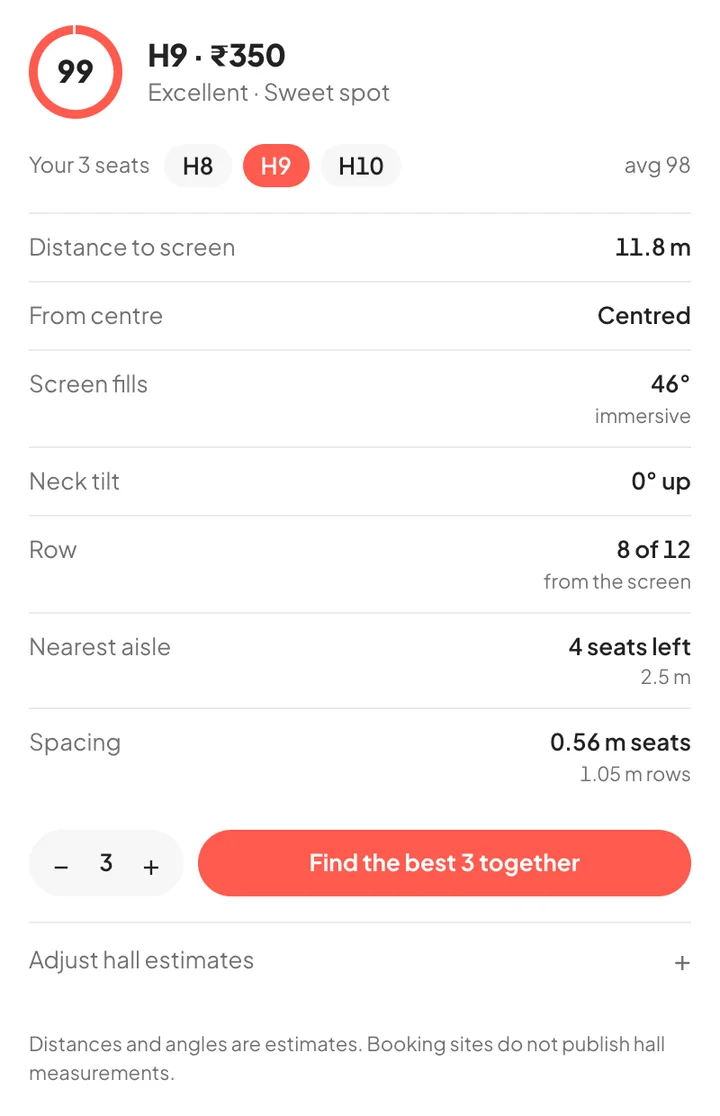
Distance, angle and how much of your view the screen fills, in one number. One tap picks the best free seats together.
How it works
Pick a show on BookMyShow or District and go to seat selection.
The real hall opens in 3D beside the seat map.
Try seats, see the view, then book as usual.
In one minute
The video loads from YouTube only when you press play.
On your phone
Leave your email and we’ll tell you once, when it’s ready. Nothing else.
Usually centre seats about two thirds of the way back. The score shows it for the exact hall you are booking, and “Find the best seat” picks the best free ones.
They are estimates. Booking sites don’t publish hall measurements, so the hall is built from the seat map and typical multiplex dimensions. You can adjust seat width, row spacing and screen distance if you know the hall.
No. It only selects seats on the page, and only when you press “Find the best seat”. You finish the booking yourself.
Movie seat-layout pages on BookMyShow and District, in Chrome, Edge, Brave or Arc on a desktop or laptop. Phones aren’t supported yet; a mobile version is coming (join the waitlist below).
Get it from the Chrome Web Store and press “Add to Chrome”. It updates by itself.
The extension collects none: everything happens in your browser. This website uses basic visitor analytics. Details are in the privacy policy.
New to seat views? Read what a 3D seat view shows. Or find the best seats for any show right here on seats.movie. Need help?